
A better-planned visit
Find branches, opening hours, contact details and facilities—from study spaces to public computers.
Cloud612 Library App
Your catalogue. Their next read. Everything they need to borrow, explore and stay connected. All wrapped up in your library’s branded mobile app.
Connected to your library management system. Designed for our community.
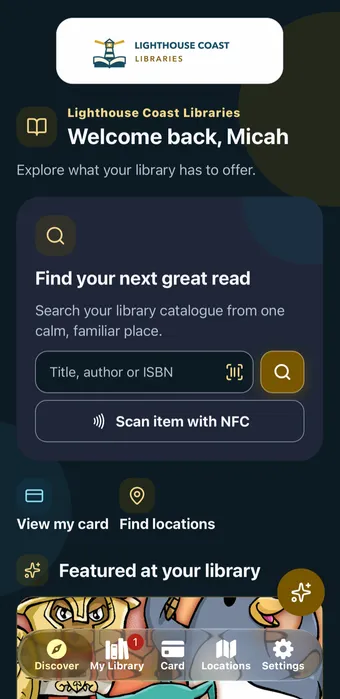
Two-minute app tour
Take a quick look through the member experience—from discovering a title to accessing the everyday library features that keep people connected.
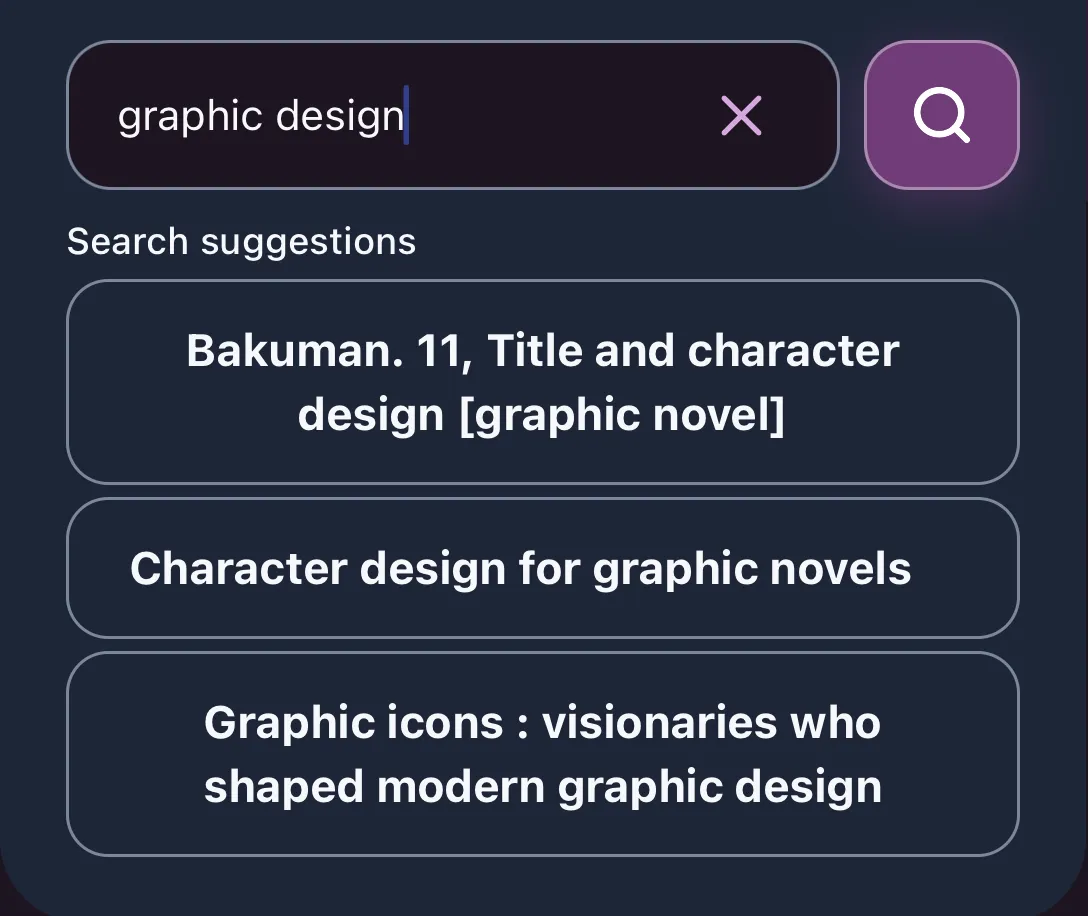
01 / Find your next read
Help members turn a half-remembered title or a new interest into their next great read.
Responsive catalogue search offers title and author predictions as members type. Useful filters and sorting help narrow the collection, while cover artwork and clear title details make it easy to choose.

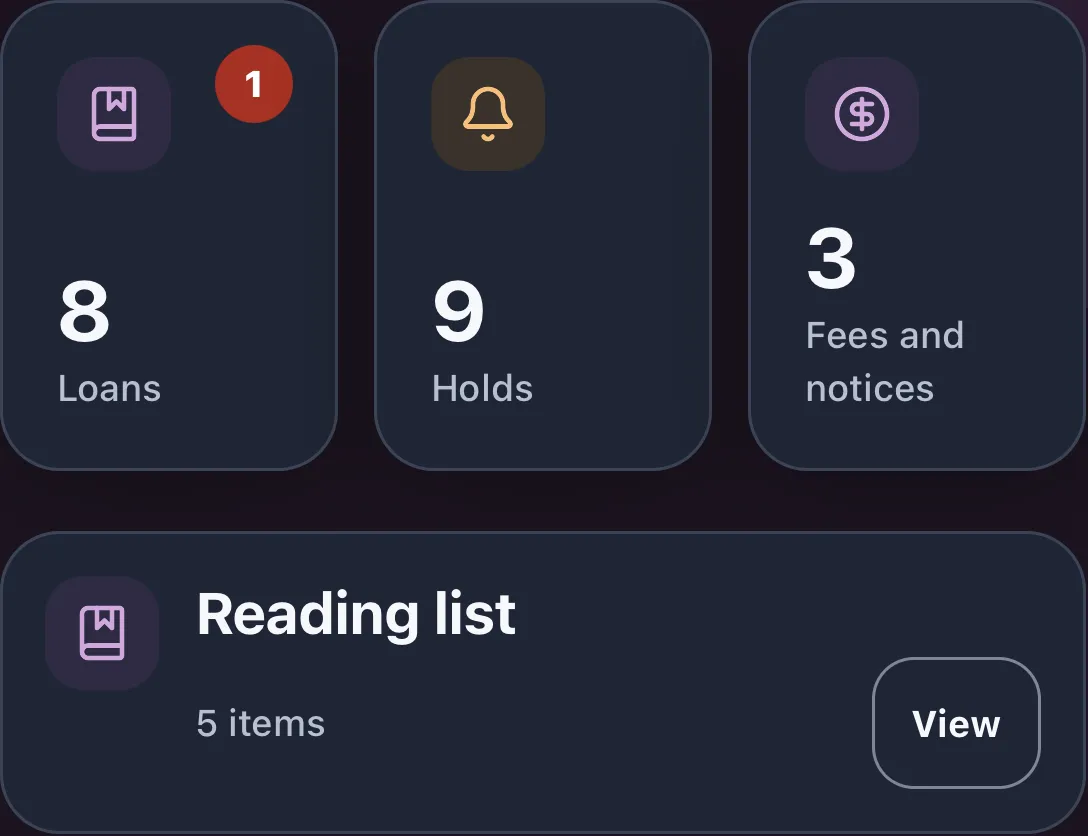
02 / Everyday borrowing
Loans, holds and reading lists stay close at hand. Members can switch between saved library accounts to keep up with their own borrowing and their family’s.
See due dates, renew eligible loans and manage supported hold options, with your library’s borrowing rules built into the experience.
Display a scannable digital library card, access a securely saved card offline and add a Wallet pass where configured.
Optional NFC self-checkout lets members identify a compatible library item, review eligibility and confirm borrowing through your configured integration and branch procedures.
03 / Beyond the bookshelf
Help members plan a visit, explore online resources and discover services they might otherwise miss.
Find branches, opening hours, contact details and facilities—from study spaces to public computers.
Bring eBooks, audiobooks, magazines and learning resources into a clear directory, with links to supported titles and services.
Connect members with library news, events and useful service links, organised by your team.
04 / Your team, in control
Cloud612 App Manager gives staff a browser-based home for the content members see.
Update service links and branch information, schedule promotions and choose featured book collections without waiting for an app-store release.
Individual account messages are sent by staff; they are separate from automated overdue or hold notices.
Explore library email marketing too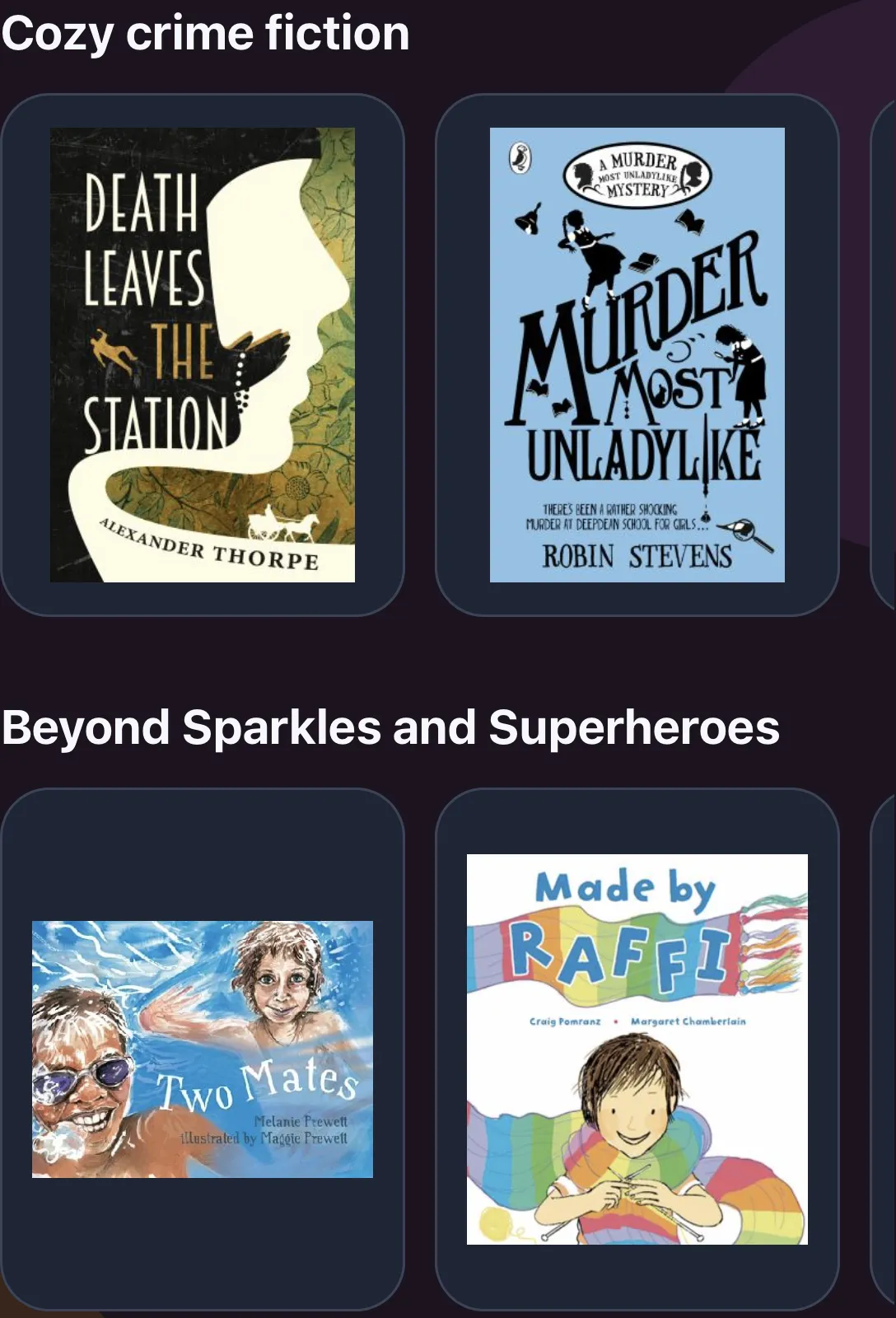
05 / A new way to ask
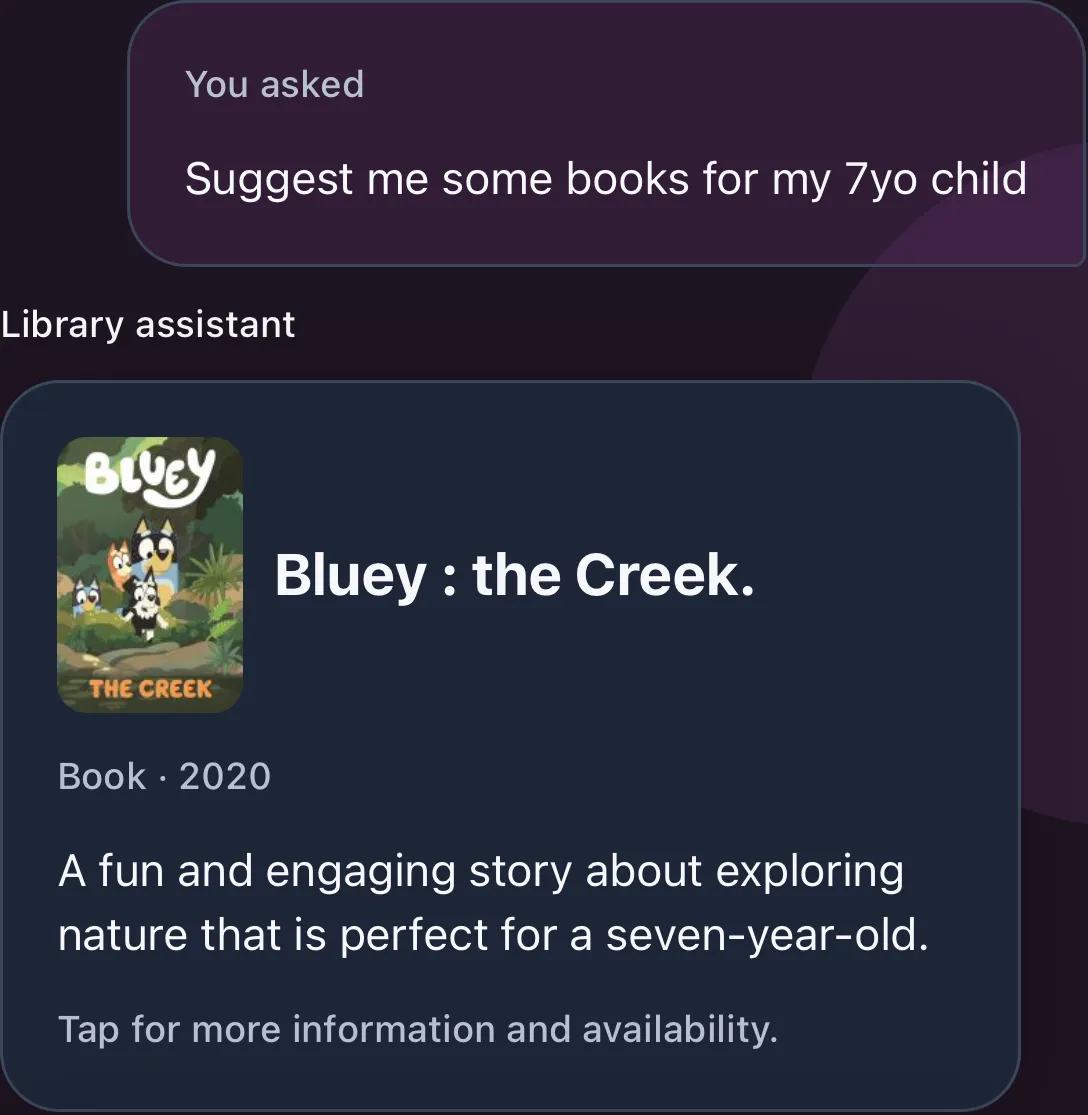
“Suggest some books for my seven-year-old.” The AI Library Assistant connects everyday questions with verified titles in your library’s catalogue.
Members can explore reading ideas, ask about published opening hours and facilities, or find digital resources and library promotions. Account questions lead to useful account cards and existing app screens.
The assistant helps members discover and navigate; it does not renew loans, place holds or change borrowing records. Fetched account records are not sent to the AI provider.
AI can make mistakes. Typed questions are sent for interpretation, so members should leave personal details out of their messages.
Built for your library
A recognisable library experience, supported by careful integration, security and inclusive design.
Your app name, icon, artwork and colours, with light and dark appearances that feel like your library.
Library management system integration brings accounts, borrowing and availability into a consistent member experience.
A maintained catalogue powers browsing and search without asking the library system to assemble every results page.
Optional biometric app lock, permission-controlled staff access, audited sensitive administration and encrypted integration credentials.
English and Simplified Chinese, scalable text, screen-reader labels, contrast-aware colours and reduced-motion support.
Organise links, promotions and supported featured collections around the services your community values.
Enabled capabilities depend on your library’s app configuration, connected systems and compatible devices. We’ll work through the right setup with you.
Questions
Yes. Your app can have its own name, icon, launch artwork, logo and colours, with light and dark appearances. Core branding is configured for your app release; staff manage supported content through Cloud612 App Manager.
The app connects catalogue discovery and member services with your library management system. We review your integration and borrowing policies with you to configure account access, availability, renewals, holds and supported self-checkout.
Authorised staff can maintain public branch information, organise service links, publish and schedule promotions, and select and order supported featured book collections through the browser-based App Manager. Core branding and compiled app features require an app release.
Yes. Members can save and switch between library accounts, display a scannable digital card and access a securely saved card offline. Wallet passes are available where configured. Live catalogue searches and account updates require an internet connection.
The assistant connects reading questions with verified catalogue titles and helps members find published library services and account screens. It can make mistakes and does not renew loans, place holds or change borrowing records. Questions are sent to the AI provider for interpretation; fetched member account records are not.
Book a demonstration with Cloud612. We will walk through the member experience and staff tools, discuss your library system, branding and service priorities, and agree the configuration and integration work for your library.
Book a demo
Explore the member experience and staff tools, then talk through your library system, branding and priorities.