
Introducing Web Assistant
A new way into your collection.
A helping hand for every visit.
Turn your existing library website into a conversational starting point for books, borrowing and library services. Powerful catalogue discovery meets on-demand patron support, in your library’s own brand.
Your existing website. No app download. A standalone library product.
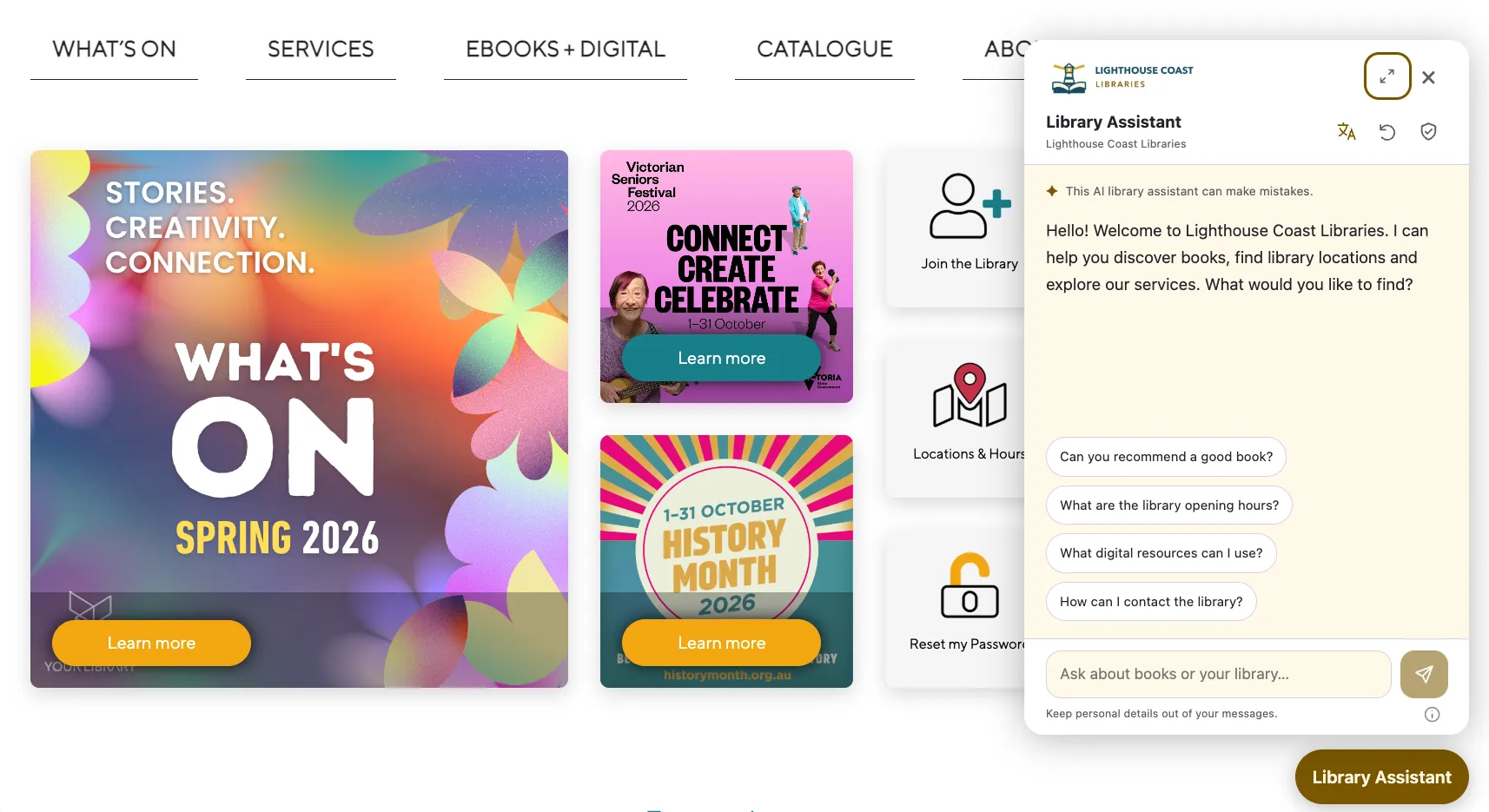
01 / Catalogue discovery
Less searching for the right words.
More finding the right book.
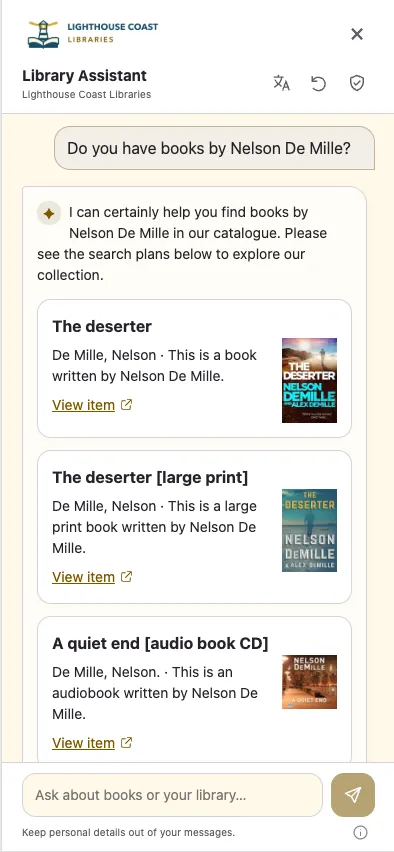
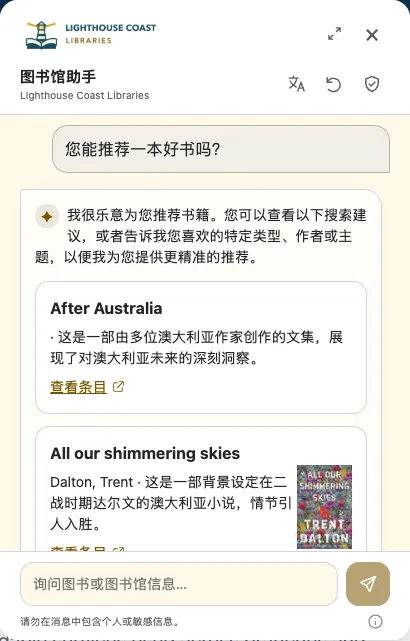
An author, a favourite subject, a preferred format—or simply what someone feels like reading next. Give readers another way into your collection.
A locally maintained search index supports fast discovery across your published collection. AI interprets the question and selects recommendations from verified catalogue records.
Cover artwork, short descriptions and catalogue links turn a suggestion into an invitation to explore and borrow.
Recommendations draw on your published catalogue. Current copy availability and further borrowing options are checked in the catalogue.
02 / Patron support on demand
More help for patrons.
More time for your team.
Make everyday questions easier to answer, without asking staff to monitor another live-chat inbox.
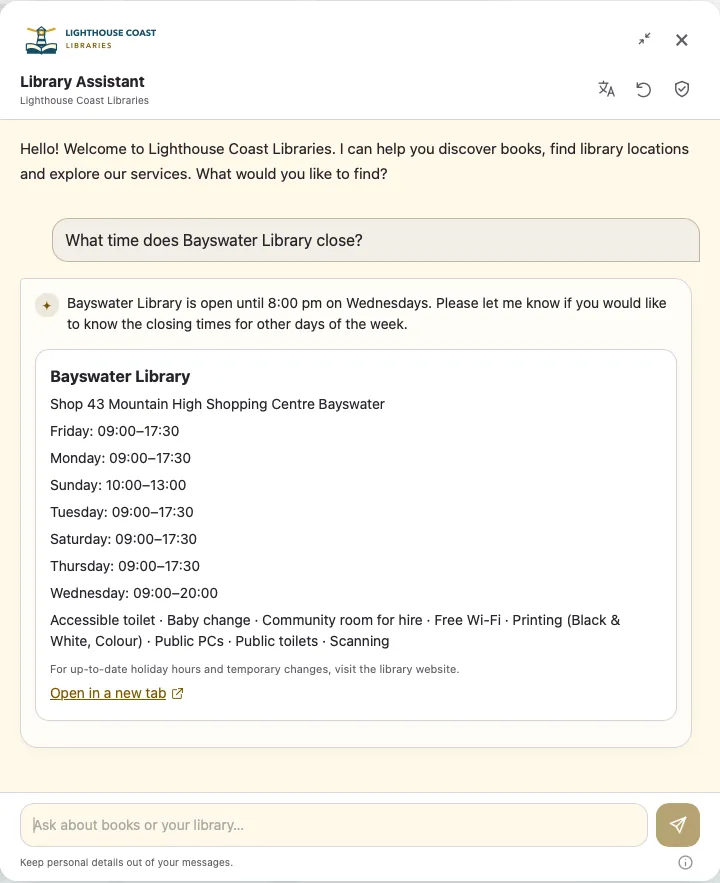
Bring branch hours, facilities and contact options into the conversation. Published mobile-library visits and service notices help people plan ahead.
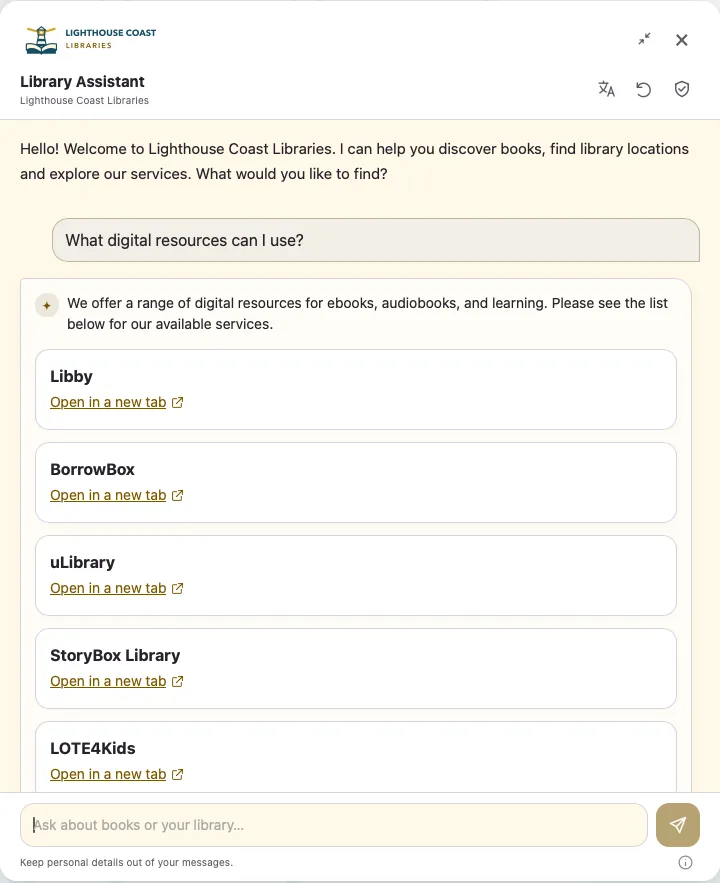
Help visitors find digital resources, featured news, events and services through useful links to the information you already publish.
Designed to help reduce routine enquiries. Library contact options remain available when someone needs a person.
03 / A more welcoming digital front door
More ways to ask.
More people included.
Support your community in their own language. Start with the languages below, and easily add others to help more people feel at home with your digital services.
- English
- Simplified Chinese
- Italian
- Vietnamese
- Punjabi (Gurmukhi)
Need another language? Translations can be created in any languages your library chooses.
The assistant uses maintained library content. Catalogue records and linked websites retain their supplied language.
04 / Everyday self-service
From a quick question
to taking care of borrowing.
Members use their existing library card and PIN or password in dedicated account controls. No app download required.
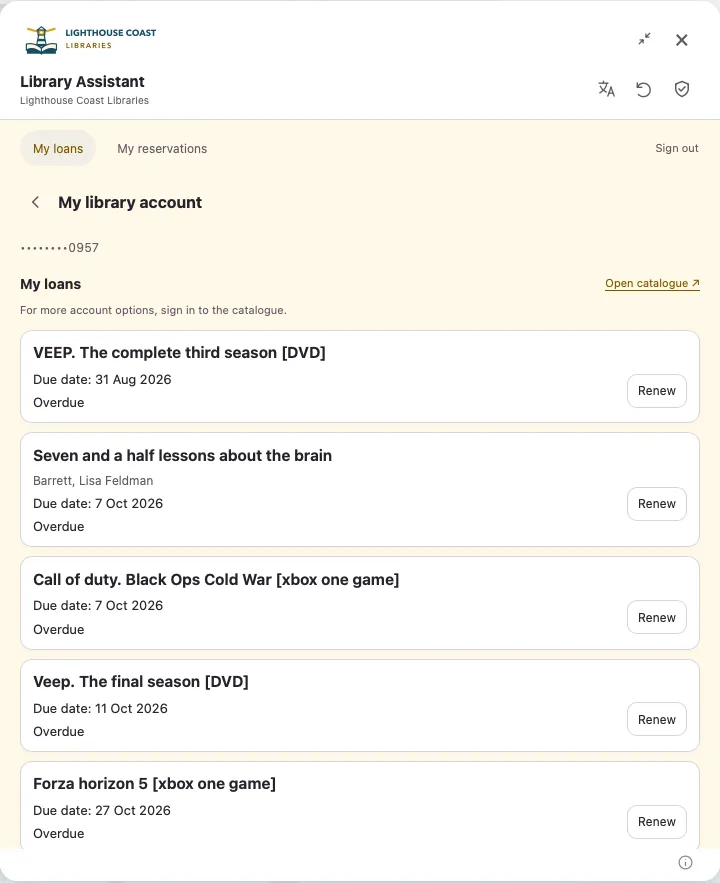
See current borrowing and overdue items, then renew an eligible loan with a clear confirmation.
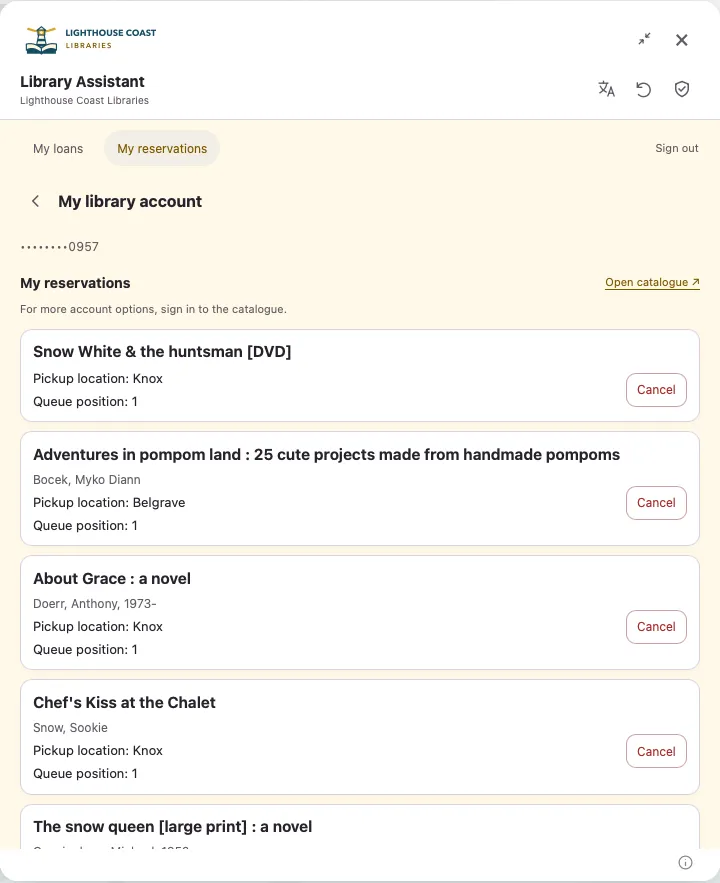
Check pickup information, see items ready for collection, or cancel an individual reservation.
Each renewal or cancellation requires confirmation. Library rules determine the outcome. Members can continue into the catalogue for further account services.
05 / Simple to introduce. Easy to manage.
Your website. Your library.
Your team in control.
Add Web Assistant to your existing website with a supplied installation snippet. Manage the public experience through Cloud612 App Manager.
Make it yours
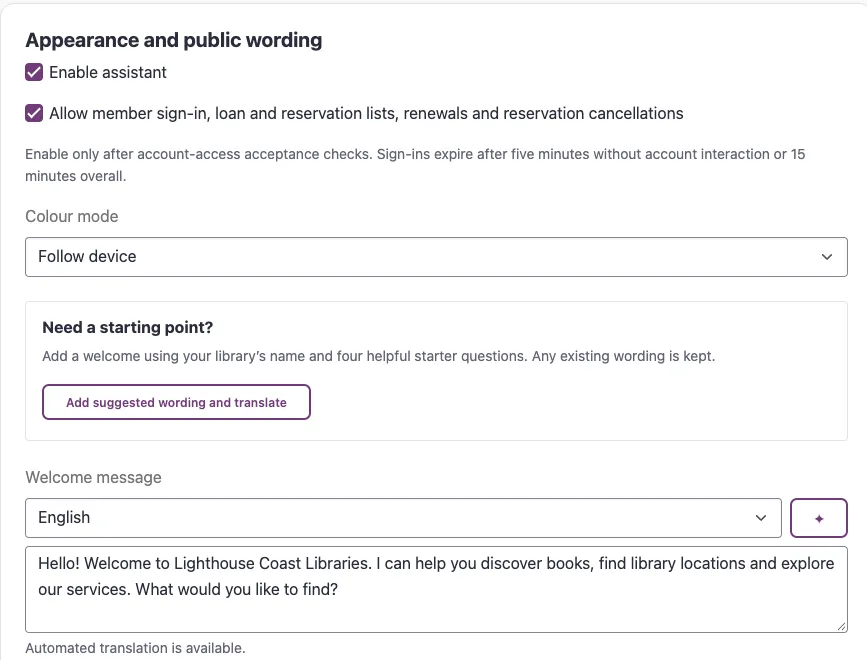
Library branding, light or dark appearance, a tailored welcome and up to four starter questions. Reuse published library information and pause the assistant when needed.
Understand what patrons ask
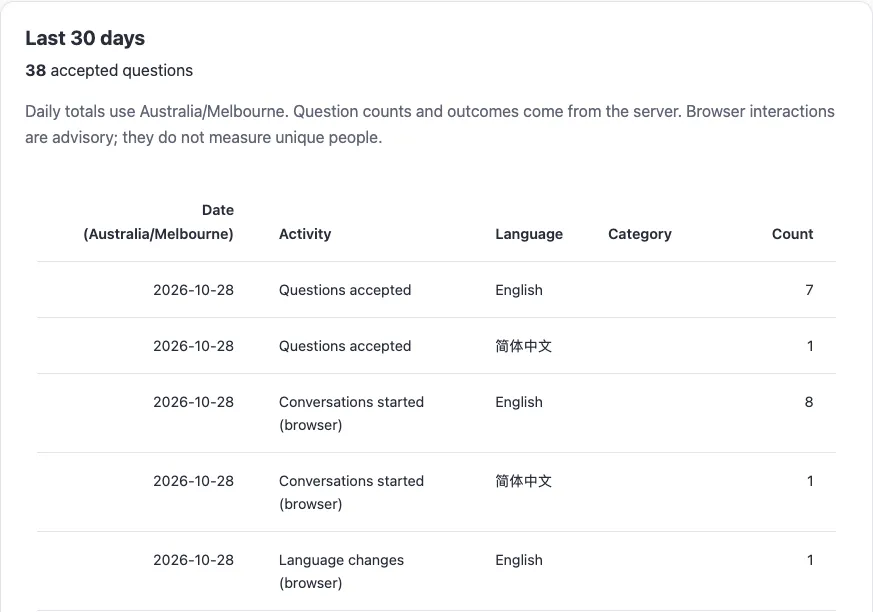
Daily summaries show question volumes, enquiry categories, languages and outcomes over the last 30 days. Use recurring topics to guide service information and resource promotion.
A few useful answers
Introducing Web Assistant
to your library.
Can we add Web Assistant to our existing website?
Yes. Web Assistant is added to your existing library website with a supplied installation snippet. Visitors can use it on desktop and mobile without downloading an app.
Do we need a Cloud612 mobile-app or kiosk subscription?
No. Web Assistant is a standalone product. No Cloud612 mobile-app or kiosk subscription is required, and generous AI usage allowances are included.
Which languages are supported?
Web Assistant supports English, Simplified Chinese, Italian, Vietnamese and Punjabi (Gurmukhi), with other languages easily added to suit your community. Translations can be created in any languages your library chooses. Catalogue records and linked websites retain their supplied language.
Can members renew loans and manage reservations?
Yes. Members sign in with their existing library card and PIN or password to view loans and reservations, renew eligible items and cancel individual reservations. Each renewal or cancellation requires confirmation, and library rules determine the outcome.
How are member details and conversations handled?
Sign-in credentials and fetched account records are not sent to the AI. Account access is time-limited and members can explicitly sign out. Cloud612 does not store chat transcripts on its servers. Visitors are reminded to keep personal details out of messages, and reporting uses aggregate counts rather than individual question text.
How do we get started?
Book a demonstration with Cloud612. We will walk through catalogue discovery, patron support, member self-service and staff controls, then discuss introducing Web Assistant to your library website.
Discover more. Help more.
See what a conversation can open up.
Arrange a demonstration of catalogue discovery, patron support and member self-service for your library.